
The Future of AI Automation for Small Businesses
What practical AI automation looks like for small teams in 2026 — and how to avoid expensive experiments.
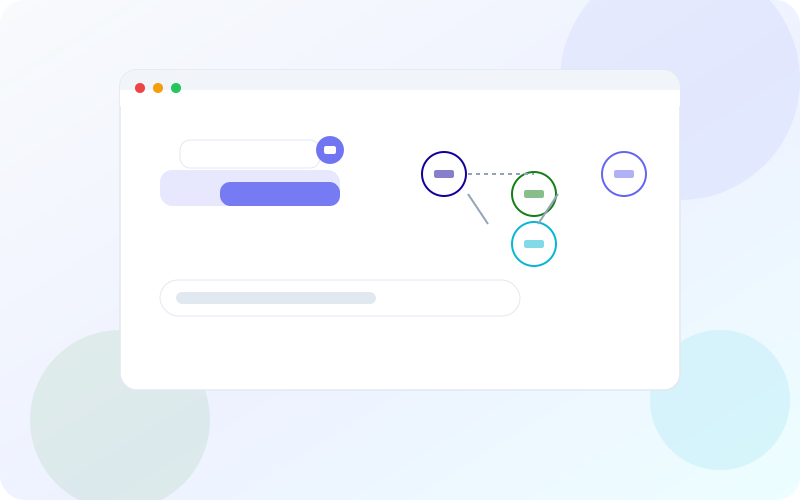
For small businesses in 2026, AI automation is no longer a futuristic side project reserved for enterprise budgets. It is a practical operating lever: draft the first response, extract the invoice fields, summarize the meeting, qualify the lead, schedule the follow-up, and escalate only when judgment matters. The opportunity is real. So is the risk of expensive experiments that never connect to revenue, CRM, or day-to-day work.
This article explains what practical AI automation looks like for small teams—high-ROI use cases, guardrails that protect brand and compliance, and an implementation path that favors measurable outcomes over demos. If you are evaluating where to start, Grove Web Digital’s services include AI automation, agent design, and integrations that connect tools your team already uses. Browse related work in our portfolio or book a meeting to map a realistic 90-day automation plan.
Why It Matters
Small businesses compete with fewer people and thinner margins. Every hour spent on repetitive admin is an hour not spent selling, delivering, or improving the product. AI automation matters because it compresses that admin load without requiring a full operations department. It also matters because customer expectations have shifted: instant answers, personalized follow-ups, and always-on scheduling are becoming baseline, not premium.
Unlike earlier “automation” waves that only moved data between forms, modern AI can interpret messy inputs—emails, voice notes, PDFs, chat transcripts—and produce structured actions. That unlocks workflows that were previously too variable for rigid rules engines. The businesses that treat AI as an assistant layered on clear processes will outpace those that treat it as magic that replaces process design.
Weekly time many small teams can reclaim from a focused AI automation stack covering intake, follow-ups, document handling, and first-draft communications.
Finally, AI automation changes hiring strategy. Instead of adding headcount for every volume spike, small companies can stabilize quality first, then hire for higher-leverage roles. That is how a ten-person team starts performing like a twenty-person team—without pretending software replaces accountability.
Current Industry Challenges
Small teams face distinct AI challenges. Budget and attention are limited, so failed experiments hurt more. Tool marketing overpromises “autonomous employees,” which encourages risky over-delegation before data quality and policies are ready. Many businesses also have fragmented systems: booking tools, email, accounting, and social DMs that never share context.
Another challenge is trust. Owners worry about wrong invoices, wrong customer promises, or brand-damaging replies. Those concerns are valid. AI without retrieval grounding, human approval thresholds, and audit logs will eventually create an expensive mistake. Talent is a constraint too: most small businesses do not have an ML engineer on staff, so success depends on thoughtful productized automation and clear operating rules—not custom model training.
- Unclear ROI and no baseline metrics before purchase
- Disconnected tools that prevent end-to-end automation
- Over-automation of judgment-heavy customer situations
- Privacy and data-sharing confusion with AI vendors
- Staff resistance when automation is introduced as replacement rather than leverage
Detailed Explanation
Practical AI automation for small businesses is a stack, not a single chatbot. At the bottom are structured systems of record: CRM, booking calendar, helpdesk, accounting. In the middle are automation triggers and integrations. On top are AI capabilities: classification, extraction, summarization, drafting, and decision support. The winning pattern is AI that proposes; systems that execute; humans that approve high-risk steps.
High-volume, low-judgment first
Start where volume is high and judgment is low: lead triage, appointment reminders, FAQ replies, invoice data capture, meeting notes into CRM fields, social comment routing, and internal knowledge lookup. These tasks create quick wins and build organizational confidence. Save complex negotiation, sensitive complaints, and novel strategy for humans—with AI as a research assistant if helpful.
Grounding beats clever prompting
Small businesses often try to solve accuracy with longer prompts. Better accuracy comes from grounding: retrieving approved FAQs, price lists, service areas, and policy docs at answer time. Pair that with structured outputs—JSON fields for CRM updates, checklist formats for technicians—so downstream systems can act reliably.
Guardrails as product features
Guardrails are not bureaucracy; they are how automation becomes safe enough to scale. Define what AI may read, what it may draft, what it may send, and what it must escalate. Log actions. Keep kill switches. For customer channels, always preserve an easy path to a human. In 2026, customers tolerate AI speed; they do not tolerate AI dead ends.
AI automation works for small businesses when it removes busywork without removing ownership. Keep humans accountable for outcomes; let software carry the repetition.
— Grove Web Digital
Measurement that matters
Track time saved, response latency, conversion from inquiry to booked meeting, error/rework rate, and customer satisfaction—not “number of AI messages sent.” If automation increases speed but increases refunds or no-shows, it is not winning. The goal is better unit economics and a calmer operation.
Integration patterns that fit small teams
Most small businesses do not need a custom ML platform. They need reliable glue: website form → classifier → CRM fields → draft reply → human approval → calendar invite. Native automations in your CRM or helpdesk are often enough for v1. Custom API work becomes worthwhile when SaaS automations become brittle, when you need audit logs, or when your workflow is genuinely differentiated. Either way, design the event contract first—what data moves, who owns each field, and what happens on failure—before debating model brands.
Also separate internal copilots from customer-facing agents. An internal assistant that summarizes meetings into CRM notes has a different risk profile than a public chat widget that can invent discounts. Many teams should ship the internal loop first, prove quality habits, then carefully expose narrower customer-facing automation with stricter escalation.
Human-in-the-loop is not a temporary embarrassment for SMBs—it is often the durable operating model for anything that touches money, legal language, or reputation.
Real-World Examples
A local services company connected website form intake to an AI classifier that tagged urgency, service type, and location, then created CRM records and suggested appointment slots. Humans confirmed only edge cases. Average lead response time dropped from half a day to minutes, and booking rate rose because speed itself became a differentiator.
A small ecommerce brand used AI to draft first-pass customer replies for shipping questions and to extract return reasons into structured tags. Agents edited tone and approved sends. The same tags fed product and packaging improvements—turning support volume into operational insight instead of pure cost.
These examples share a pattern: narrow scope, human approval on money and promises, CRM connection, and a metric that leadership could see within weeks. That is the future of AI automation for small businesses—not autonomous companies, but assisted operations that compound.
Benefits
Done well, AI automation delivers advantages that punch above a small team’s size.
- Speed: Faster replies and handoffs without overnight staffing.
- Consistency: Standard quality for FAQs, onboarding steps, and follow-ups.
- Capacity: More throughput without proportional hiring.
- Focus: Owners and specialists spend time on judgment, relationships, and delivery.
- Insight: Structured data from messy inputs improves forecasting and product decisions.
- Customer experience: Shorter waits and clearer next steps increase trust.
There is also a resilience benefit. When a key employee is out, documented automated workflows keep baseline operations moving. Institutional knowledge becomes less fragile because it lives in systems and approved knowledge bases—not only in one person’s inbox habits.
Common Mistakes
The classic mistake is buying a dozen AI subscriptions before fixing process clarity. Another is automating the wrong work—complex exceptions first—then concluding “AI doesn’t work.” Teams also hide human contact options, over-share sensitive data with tools without reviewing vendor policies, and fail to train staff on when to override AI drafts.
- No baseline metrics, so success is anecdotal
- Automating broken processes instead of simplifying them first
- Letting AI send without review too early
- Ignoring CRM/data hygiene, then blaming the model
- Chasing novelty features instead of weekly hours saved
- No owner for knowledge freshness after launch
A subtler mistake is cultural: announcing AI as headcount reduction. That creates quiet sabotage and destroys the feedback loop you need. Frame automation as removing drudgery so people can do higher-value work—and prove it with role redesign, not slogans.
Best Practices
Run AI automation like a mini product: one owner, a backlog, release notes, and weekly review of failures. Prefer tools that integrate with your CRM and calendar over isolated chat toys. Keep a written policy matrix. Use retrieval from approved sources. Sample outputs every week for the first quarter.
- Start with one workflow and one KPI
- Require human approval for money, legal, and reputation-sensitive actions
- Connect AI to systems of record early
- Document escalation paths and brand voice rules
- Review vendor data retention and training policies
- Train the team on override criteria
- Retire tools that do not move the KPI within a defined trial window
Also keep architecture boring where possible. Reliable triggers, clean CRM fields, and simple approval queues outperform flashy agent demos that cannot be audited. Boring systems scale; novelty theater does not.
Step-by-Step Guide
Use this practical sequence to adopt AI automation without betting the business on a black box.
- Inventory repetitive work. List tasks by weekly hours, risk level, and tool location (email, CRM, docs, chat).
- Pick one high-ROI candidate. Choose high volume, low judgment, clear success metric, and available data.
- Baseline the metric. Measure current response time, conversion, error rate, or hours spent for two weeks.
- Simplify the process. Remove unnecessary steps before you automate them.
- Design the human-in-the-loop. Decide draft-only versus auto-send, escalation rules, and approval owners.
- Connect systems. Ensure CRM/booking/helpdesk fields exist for structured outputs.
- Pilot with a small cohort. Limit channels or staff for 2–4 weeks. Compare against baseline.
- Instrument failures. Log misses, fix knowledge/prompts, and retest.
- Expand carefully. Add adjacent intents only after the first workflow is stable.
- Operationalize ownership. Assign a living owner for knowledge, vendor access, and monthly KPI review.
Small-Business AI Automation Checklist
- Top repetitive tasks ranked by hours and risk
- One pilot workflow with a named KPI
- Baseline measured before go-live
- Policy matrix for what AI may say/do
- CRM or system-of-record connection planned
- Human approval path for high-risk actions
- Vendor privacy/retention reviewed
- Team trained on override and escalation
- Weekly quality sampling scheduled
- Kill switch and rollback path documented
Want help choosing the first workflow and wiring it into real tools? Explore Grove’s AI and automation services, see examples in the portfolio, or book a consultation.
Future Trends
Looking ahead, small-business AI will become more agentic in narrow domains: booking recovery, invoice chase sequences, inventory alerts, and proactive customer check-ins triggered by product usage or service milestones. Multimodal inputs—photos of damaged goods, screenshots of errors, voice notes from the field—will become standard automation fuel.
We will also see tighter packaging: industry-specific AI ops kits for clinics, contractors, agencies, and retailers that combine prompts, CRM schemas, and compliance defaults. Evaluation tooling will get simpler, helping non-technical owners score draft quality. Meanwhile, platforms will compete on integration depth and auditability more than raw model novelty.
Regulation and customer norms around disclosure will continue to mature. Clear labeling, consent for recording, and easy human access will become competitive trust signals—especially in local services and professional categories where reputation is the business.
Related reading: For customer-facing AI, read how AI agents are transforming customer support; for operations, see how businesses are moving from manual workflows to automation; and for growth channels, explore AI-powered marketing and the future of growth.
Conclusion
The future of AI automation for small businesses is practical, not theatrical. Start with high-volume, low-judgment work—support teams often begin with the patterns in AI agents for customer support. Ground answers in approved knowledge. Keep humans accountable for money and brand risk. Connect automation to CRM and operations tools. Measure hours saved, speed, conversion, and quality—not vanity usage stats.
Small teams that adopt this discipline will operate with enterprise-like responsiveness while staying lean. Those that chase tools without process will burn budget and trust. Build one reliable loop, measure it honestly, then expand. If you want a grounded roadmap for your first (or next) automation win, Grove Web Digital can help through our services, relevant work in our portfolio, and a working session via book a meeting.
Key Takeaways
- Start with high-volume, low-judgment tasks.
- Guardrails and measurement matter more than model brand.
- AI works best when connected to your CRM and ops tools.
Frequently Asked Questions
What AI automation should small businesses start with?
High-volume, low-judgment work: lead routing, FAQ deflection with human escalation, document sorting, appointment reminders, and internal summaries. Start where mistakes are recoverable and volume is real.
Is AI automation affordable for small teams?
It can be—if you scope to one workflow with clear ROI. Expensive experiments usually come from buying tools before defining the process, data sources, and ownership.
How do we keep AI from making brand or compliance mistakes?
Use approved knowledge sources, constrain tools, log actions, require human approval for money and sensitive communication, and measure answer quality—not only speed.
Do we need a data science team to automate with AI?
Usually no for practical workflow automation. You need clear processes, clean source data, integration access, and someone accountable for exceptions. Advanced ML comes later if the use case demands it.
Should AI replace customer support staff?
Not as a blunt goal. Good systems deflect repetitive questions and free humans for complex, emotional, or high-value cases. Replacement theater without escalation design damages trust.
How do we measure AI automation success?
Hours saved, response time, containment with accuracy, conversion or fulfillment speed, and exception rates. Vanity chat volume without quality checks is a misleading KPI.
What systems should AI connect to first?
CRM, helpdesk, calendar, and the knowledge base your team already trusts. AI without system context becomes a clever chatbot that cannot complete useful work.
Can Grove implement AI automation for a small business?
Yes. We focus on practical workflows with guardrails, integrations, and measurement—so automation reduces operational drag instead of creating a new support burden.

Written by
Mohan Khan
Next step
Need help building this for your business?
Grove Web Digital designs and ships websites, software, AI systems, SEO foundations, and growth infrastructure for ambitious teams.
Related Articles
Keep reading
 AI Engineering
How AI Agents Are Transforming Customer Support
AI agents are changing support from ticket queues into guided resolution — when designed with escalation and trust.
View Article Automation
Why Businesses Are Moving From Manual Workflows to Automation
Manual workflows hide cost. Automation recovers time, consistency, and visibility across the customer journey.
View Article Digital Marketing
AI-Powered Marketing: The Future of Growth
How AI is reshaping creative testing, audience targeting, and performance marketing operations.
View Article Digital Marketing
Complete Guide to Digital Transformation for Businesses
A complete digital transformation guide covering websites, software, automation, data, and growth systems.
View Article