
Why Businesses Are Moving From Manual Workflows to Automation
Manual workflows hide cost. Automation recovers time, consistency, and visibility across the customer journey.
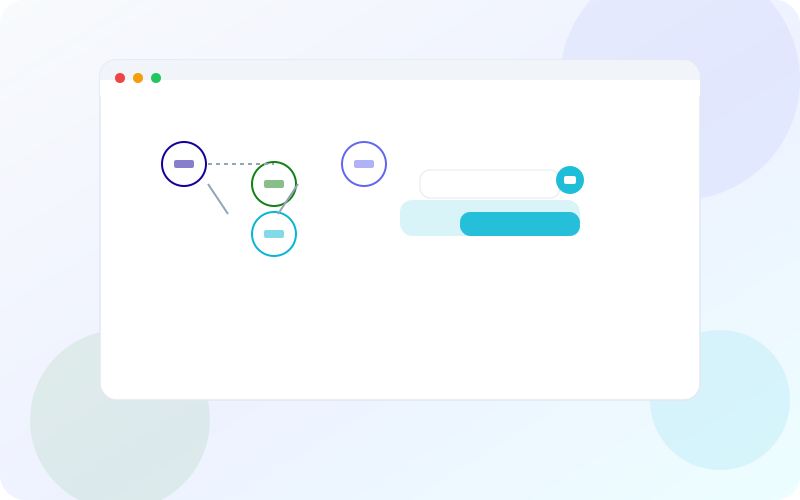
Manual workflows hide cost. They look cheap because there is no software line item—only people forwarding emails, updating spreadsheets, retyping invoice details, and asking “any update?” in chat. As volume grows, that invisible tax compounds: slower cycle times, inconsistent customer experiences, missed follow-ups, and reporting that arrives after decisions are already made. In 2026, more businesses are moving from manual workflows to automation not as a tech fashion, but as an operating necessity.
This guide explains why the shift is accelerating, how to identify automation-ready work, what a practical rollout looks like, and how to avoid automating chaos. If you want help designing trigger-to-result systems across CRM, delivery, and finance, explore Grove Web Digital’s services, review related implementations in our portfolio, or book a meeting to audit your highest-friction workflows.
Why It Matters
Every manual step is a place where work waits, data drifts, and quality depends on who is online. Automation matters because it converts fragile habits into reliable systems: when X happens, do Y, record Z, and notify the right owner. That reliability is what lets companies grow revenue without growing administrative headcount at the same rate.
It also matters for customer trust. Buyers notice when onboarding emails are late, invoices are wrong, or status updates require chasing. Automated workflows create consistent moments—confirmation, progress, exception handling—while humans focus on exceptions that need judgment. In competitive markets, consistency is a brand asset.
Share of weekly operating time many growing teams spend on coordination and re-entry work that a well-designed automation layer can reduce or eliminate.
Finally, automation creates visibility. Manual processes often live in inboxes; automated processes produce event histories, timestamps, and dashboards. Leaders can manage what they can see. That is why companies moving off manual workflows frequently report better forecasting and fewer “surprise” fire drills—not only faster throughput.
Current Industry Challenges
Despite clear incentives, many automation programs stall. The first challenge is process opacity: nobody has written the real workflow, including exceptions. Teams automate the happy path and discover that 30% of work is special cases that still require heroics. The second challenge is tool fragmentation—CRM, email, forms, accounting, project tools—with no agreed system of record.
A third challenge is cultural. Staff may fear surveillance or replacement, especially if automation is introduced without role redesign. A fourth is brittle DIY automations: unowned Zaps that break silently after a field rename. Governance is often missing—no versioning, no tests, no alerting—so automation becomes another unreliable coworker. Data quality issues amplify everything: automation on dirty CRM fields simply scales mistakes.
- Undocumented tribal processes with many silent exceptions
- Duplicate data entry across systems with no reconciliation
- Automations owned by one person with no backup
- No exception queue when automation fails
- Leaders buying tools before mapping workflows
Detailed Explanation
Moving from manual workflows to automation is a design problem before it is a tooling problem. The core model is simple: trigger → conditions → actions → result → exception handling. Mature teams also add measurement and ownership. The technology can be iPaaS, custom backend jobs, CRM workflows, RPA for legacy UIs, or AI-assisted extraction—but the model stays the same.
What should be automated
Automate work that is repetitive, rules-based, frequent, and costly when delayed or wrong. Strong candidates include lead routing, appointment reminders, contract renewal notices, invoice generation triggers, status sync between systems, document collection checklists, and escalation when SLAs breach. Keep human judgment for negotiation, sensitive complaints, novel edge cases, and relationship moments that create loyalty.
Systems of record and handoffs
Automation fails when every tool thinks it is the source of truth. Decide where customer identity, deal stage, project status, and invoice state live. Then design handoffs as events: “deal marked won” creates a delivery workspace; “milestone approved” creates an invoice draft; “invoice paid” unlocks premium support. Humans should not be the integration layer.
Exceptions are the product
The difference between amateur and professional automation is exception design. When data is missing, an API is down, or a rule cannot decide, the system should open a structured task with context—not drop the ball. Over time, exception patterns reveal process debt you can fix at the source, reducing future manual load.
Manual workflows scale with stress. Automated workflows scale with volume—if you design for exceptions as carefully as you design for the happy path.
— Grove Web Digital
AI’s role in 2026
AI expands what can be automated by interpreting unstructured inputs: emails, PDFs, call notes, images. That does not remove the need for rules and systems of record. The durable pattern is AI for interpretation and drafting; deterministic automation for state changes; humans for approval on high-risk actions. Treat AI as a new type of worker in the workflow, with permissions and QA.
Change management is part of technical design. If staff do not trust the automation, they recreate spreadsheets beside it and you run two conflicting processes. Involve the people who currently own manual steps as co-designers. Ask which exceptions scare them. Encode those fears as rules and alerts. Adoption rises when automation feels like relief rather than surveillance.
Keep economics honest. Calculate fully loaded time saved, error cost avoided, and cycle-time value—not only software license fees. Some workflows save modest minutes but prevent expensive mistakes; others look impressive in demos and barely move the P&L. Prioritize ruthlessly so automation does not become a hobby project competing with revenue work. Publish an internal automation catalog: what runs, who owns it, what systems it touches, and how to pause it safely.
Real-World Examples
A growing agency moved from manual project kickoffs—email threads, shared folders, and Slack pings—to an automated sequence: signed proposal triggers CRM stage change, creates a project workspace, assigns a kickoff checklist, and schedules the first client update. Delivery started same-day instead of after someone “got around to setup.”
A field services company automated job reminders, technician assignment notifications, and post-visit review requests. No-shows dropped, and Google review volume rose because the ask happened at the right moment every time—without relying on a manager remembering to text customers.
A professional services firm with seasonal demand automated capacity-aware intake: web forms scored urgency and service type, created CRM records, reserved calendar holds based on team availability rules, and routed high-value inquiries to a senior consultant within minutes. Previously, urgent leads sat in a shared inbox overnight. The automation did not replace qualification judgment—it enforced speed and routing fairness so humans could qualify while context was fresh.
A manufacturer’s customer support team automated warranty claim intake. Customers uploaded invoices and serial photos; an AI extraction step pulled key fields; validation rules checked warranty windows against ERP history; clean claims advanced to parts fulfillment, while ambiguous claims opened an exception ticket with the extracted draft attached. Claim cycle time fell because agents stopped retyping PDFs and started resolving edge cases. That is the 2026 pattern: interpretation plus deterministic gates plus human exception ownership.
These stories share a theme: automation recovered time and consistency by removing human shuttle work between systems. The companies did not automate everything. They automated the spine of the customer journey and audited exceptions weekly. Where AI appeared, it reduced unstructured friction—emails, PDFs, photos—while rules and systems of record remained the authority for money, access, and compliance-sensitive state changes.
Benefits
Businesses that move from manual workflows to automation typically unlock several compounding benefits.
- Speed: Work starts immediately when conditions are met.
- Consistency: Customers and staff get the same correct sequence every time.
- Fewer errors: Less retyping and fewer missed steps.
- Visibility: Timestamps and statuses replace inbox archaeology.
- Scalability: Volume can rise without linear admin hiring.
- Morale: Teams spend less time on tedious coordination and more on skilled work.
- Better decisions: Cleaner operational data improves forecasting and prioritization.
There is also a strategic benefit: automation surfaces process truth. When every exception is logged, leaders finally see where offers, policies, or UX create operational drag. That feedback loop often improves the business more than the automation scripts themselves.
Common Mistakes
The most common mistake is automating a broken process. Speeding up confusion creates faster confusion. Another is over-automating judgment calls, which damages customer trust. Teams also build sprawling automation graphs with no documentation, no owner, and no tests—then panic when a vendor API changes.
- No baseline metrics before and after
- Skipping exception queues and alerting
- Automating before cleaning CRM fields and naming conventions
- Hiding human override options
- One-off automations that duplicate logic across tools
- Declaring victory at launch without adoption review
A quieter mistake is neglecting change management. People invent shadow processes when automation feels opaque. Involve frontline staff in design, show them what is automated and what remains human, and celebrate exception catches as system improvements—not personal failures.
Best Practices
Treat automation as product infrastructure. Name an owner. Version changes. Document triggers and side effects. Prefer event-driven updates over polling when possible. Keep business-critical logic testable. Start with one journey spine—lead-to-meeting, order-to-fulfillment, or ticket-to-resolution—before expanding sideways.
- Map as-is and to-be workflows with real volumes
- Define systems of record explicitly
- Design exceptions before building happy-path actions
- Instrument cycle time, error rate, and SLA breach rate
- Use staging/sandbox for automation changes
- Review failed runs weekly for the first 90 days
- Retire manual parallel processes after cutover confidence
Also separate configuration from code where practical. Non-engineers can adjust thresholds and templates; engineers protect integrations, permissions, and data integrity. That division of labor keeps iteration fast without sacrificing control.
Operational depth that separates durable programs
Go beyond “build a Zap.” Define idempotency so retries do not create duplicate invoices or duplicate projects. Use correlation IDs across CRM, project, and billing events so support can reconstruct a customer journey without inbox archaeology. Cap blast radius with rate limits and kill switches for any automation that sends customer communications. For money-moving or access-granting actions, require dual control: automation prepares; a human or secondary rule confirms when risk thresholds are crossed.
Data contracts matter more in 2026 than tool choice. Agree field meanings, allowed values, and ownership before wiring automations. A “stage = won” that means different things to sales and finance will generate elegant failures. Prefer webhooks and event buses over brittle UI scraping; reserve RPA for legacy systems that cannot expose APIs, and plan a retirement path. When AI drafts content or extracts fields, log model version, prompt version, and confidence scores so you can audit drift after vendor updates.
- Require human approval for refunds, discounts above threshold, and production access grants
- Store dead-letter payloads when downstream APIs fail, not only error messages
- Version templates for customer emails and portal messages separately from orchestration logic
- Run synthetic test cases for top exception paths after every integration change
- Align automation SLAs with customer SLAs—if support promises 4-hour replies, routing cannot queue silently for 12
Step-by-Step Guide
Use this rollout framework to move from manual work to dependable automation.
- Pick a painful workflow. Choose something frequent, measurable, and currently dependent on chase/re-entry.
- Document reality. Interview the people who do it. Capture exceptions, tools, and average cycle time.
- Baseline metrics. Measure volume, time, error/rework rate, and customer impact for 2–4 weeks.
- Simplify first. Remove unnecessary approvals and duplicate steps before encoding them.
- Define trigger → action → result. Write rules in plain language, including failure behavior.
- Assign systems of record. Decide which system owns each field and status.
- Build the minimum automation. Implement the spine with logging, alerts, and an exception queue.
- Pilot and compare. Run with a subset of traffic or a single team; compare against baseline.
- Train and cut over. Teach override paths, then retire conflicting manual steps.
- Audit exceptions monthly. Convert recurring exceptions into rule improvements or product fixes.
Implementation Checklist
- Target workflow mapped with exceptions
- Baseline KPI measured
- System-of-record decisions written
- Trigger/conditions/actions specified
- Exception queue and alerting configured
- Owner and backup owner named
- Sandbox tested before production
- Staff trained on overrides
- Manual parallel process retirement date set
- Monthly exception review scheduled
90-Day Automation Hardening Checklist
- Idempotency verified for create/update actions (no duplicate projects, invoices, or tickets on retry)
- Dead-letter queue reviewed; recurring failures converted into rule or data fixes
- Customer-facing message templates reviewed for tone, accuracy, and unsubscribe/compliance needs
- Permission scopes minimized for each integration token or service account
- AI extraction/draft steps have confidence thresholds and human review paths
- Kill switch documented and tested for high-volume outbound automations
- Cross-system correlation IDs present on critical journey events
- Backup owner completed at least one unsupervised exception triage week
- Baseline vs. current KPI comparison published to stakeholders
- Shadow manual process formally retired or time-boxed with an end date
Ready to automate the spine of your customer or delivery journey? Explore Grove’s automation services, see related work in the portfolio, or book a consultation.
Future Trends
Through 2026 and beyond, workflow automation will become more agentic and more observable. AI will propose next actions from messy inputs, while orchestration platforms enforce permissions and audit trails. Business users will configure more of the surface area, but engineering will still own integration reliability and data contracts.
We will also see stronger process intelligence: systems that not only run workflows but recommend where bottlenecks form. Event-driven architectures and better API standards will reduce brittle point-to-point glue. Compliance expectations around automated decisions—especially in finance-adjacent flows—will push teams toward clearer logging and human approval thresholds.
Expect consolidation too: fewer disconnected micro-automations, more coherent operating platforms that connect CRM, billing, support, and delivery under shared identity and status models.
2026-specific shifts worth planning for
Three shifts are already reshaping how serious teams automate. First, AI agents are entering multi-step workflows—not as unsupervised employees, but as workers that draft, classify, and assemble context while deterministic systems commit state. Governance becomes the product: tool permissions, spend caps, evaluation datasets, and clear “human required” gates for irreversible actions. Second, vendors are bundling native automation inside CRM, ERP, and support suites; the strategic question becomes when to use platform-native workflows versus a central orchestration layer so logic does not fragment across five half-connected tools.
Third, observability and process mining are merging with automation operations. Teams will expect journey-level traces—“lead to paid invoice in 11 days, stalled 3 days waiting on missing W-9”—not only per-step success logs. Privacy and AI act-style requirements in many markets will also force clearer retention rules for prompts, transcripts, and extracted personal data inside automation pipelines. Build for explainability now: who triggered what, what data was used, and who approved the outcome.
Related reading: For the AI layer on top of those workflows, see the future of AI automation for small businesses; when the spine needs a purpose-built system, read how custom software helps businesses scale faster.
Conclusion
Businesses are moving from manual workflows to automation because growth makes coordination tax unbearable. The path that works is disciplined: map the real process, simplify it, define triggers and exceptions, assign systems of record, measure outcomes, and keep humans accountable for judgment-heavy moments. Automation should remove repetition and waiting—not responsibility. Small teams can start with the practical playbook in AI automation for small businesses before expanding scope.
Start with one high-friction spine. Ship it with alerts and an exception queue. Audit misses until the workflow is boringly reliable. Then expand. That is how automation becomes a durable advantage instead of a fragile tangle of scripts. When you want a partner to design that transition, Grove Web Digital can help through our services, examples in our portfolio, and a focused session via book a meeting.
Key Takeaways
- Automate repetitive steps before you hire for them.
- Trigger → action → result is the core automation model.
- Audit exceptions — they reveal process design debt.
Frequently Asked Questions
How do I know a workflow is ready to automate?
It is repetitive, rules-based enough to define triggers, happens often, and currently creates delays or errors. If every case is unique judgment work, document it first—automating chaos amplifies chaos.
Should we automate before fixing the process?
No. Simplify the workflow, clarify ownership and systems of record, then automate. Automating a broken process creates faster mistakes.
What is a good first automation project?
Lead capture to CRM routing, invoice status updates, appointment reminders, ticket triage, or report compilation. Pick a spine with clear volume and measurable cycle-time pain.
Do we need RPA, iPaaS, or custom automation?
Use the lightest tool that is reliable and maintainable. UI-based RPA can help with legacy systems; APIs and custom services are usually more durable when systems allow them.
How do exceptions work in automated workflows?
Every automation needs an exception queue, alerts, and a human owner. Exceptions reveal process design debt—audit them instead of silently retrying forever.
Will automation eliminate operations jobs?
It usually redistributes work toward higher-judgment tasks and exception handling. The goal is less copy-paste and waiting, not fewer people without a capacity plan.
What KPIs prove automation is working?
Cycle time, error rate, touches per case, SLA adherence, and staff time recovered. If those do not move, the automation is theater.
How can Grove help move us from manual workflows to automation?
We map the real process, design triggers and guardrails, implement integrations, and measure outcomes so automation becomes a durable operating advantage.

Written by
Mohan Khan
Next step
Need help building this for your business?
Grove Web Digital designs and ships websites, software, AI systems, SEO foundations, and growth infrastructure for ambitious teams.
Related Articles
Keep reading
 AI Engineering
The Future of AI Automation for Small Businesses
What practical AI automation looks like for small teams in 2026 — and how to avoid expensive experiments.
View Article Web Development
How Custom Software Helps Businesses Scale Faster
Why off-the-shelf tools eventually become a ceiling — and how custom software removes operational bottlenecks.
View Article AI Engineering
How AI Agents Are Transforming Customer Support
AI agents are changing support from ticket queues into guided resolution — when designed with escalation and trust.
View Article Digital Marketing
Complete Guide to Digital Transformation for Businesses
A complete digital transformation guide covering websites, software, automation, data, and growth systems.
View Article